Introduction
The Brochure That Looked Awesome, but Failed
A couple of years ago, I assisted my friend in designing a brochure for his little coffee shop with Canva. Like a beginner, I tried to find the most appealing template to create a nice brochure. The template featured beautiful colours, modern fonts, and interesting graphics. In 1 hour, I designed a brochure.
What happened after printing the brochure and placing it on the counter shocked me.
The clients looked at it for a few seconds and then returned it without paying any attention to the information that was provided there. It turned out that, even though the brochure looked professionally designed, it didn’t convey a clear message. The most essential information regarding signature drinks and special weekend offers was overshadowed by other graphical elements. Moreover, there were many words, not enough spaces between lines, and no call to action.
Therefore, instead of editing the content, I decided to redesign the brochure from scratch by using another Canva brochure template. I chose a more organised design that allowed for optimal content organisation, a larger heading, and a simple colour palette that matched the shop’s brand.
This single experience totally changed my approach to selecting brochure templates.
Now, when choosing templates, I no longer ask myself, “Which one looks the most beautiful?” The question now is, “Which one conveys the message faster?”
With this new approach, I was able to design brochures for local businesses, freelancers, educational purposes, and service-based companies that clearly convey their messages rather than just being visually appealing.
So, if you’re curious about what can be considered the best Canva brochure templates in 2026, I’m here to save you from making my mistakes. And to avoid showing just another random selection of designs, I’ll tell you how to choose a template for your specific case.
Quick Answer
The best Canva brochure template is the one that aligns with your marketing objectives, your target market, and the amount of information you need to convey. A restaurant will benefit most from a menu-oriented layout, whereas a real estate agency may require a property brochure with bigger images and divided into different sections. Don’t choose the most aesthetically appealing template; instead, focus on readability, organisation, branding, and the purpose of your brochure.
Why the Proper Canva Brochure Template Is Important to Choose
It is generally believed that all brochure templates are equally effective. All you need to do is just change the text, select some other colours, and save the file.
Choosing the wrong template, however, may ruin the work even when it is excellent.
Your brochure is not merely a compilation of various images and texts. This is a marketing tool that guides people’s decision-making process. Regardless of whether you run a restaurant, a start-up, a clinic, a school or any other business, including an online store, your brochure must answer all questions before customers pose them.
People who open your brochure usually have some questions in mind.
- What do you offer?
- Why should I choose your business?
- How can I contact you?
- What should I do next?
In an effective template, answers to all those questions will be easily provided.
An ineffective template will require the readers to find out the answers on their own.
Sometimes, that small difference is enough to make people contact you or not.
What Are Canva Brochure Templates?
The Canva brochure templates are professionally designed layouts that let everyone design brochures, even if they lack design skills. In Canva, you don’t have to design anything new; just modify the ready-made layout with your pictures, change the text, alter the colours, and add some branding.
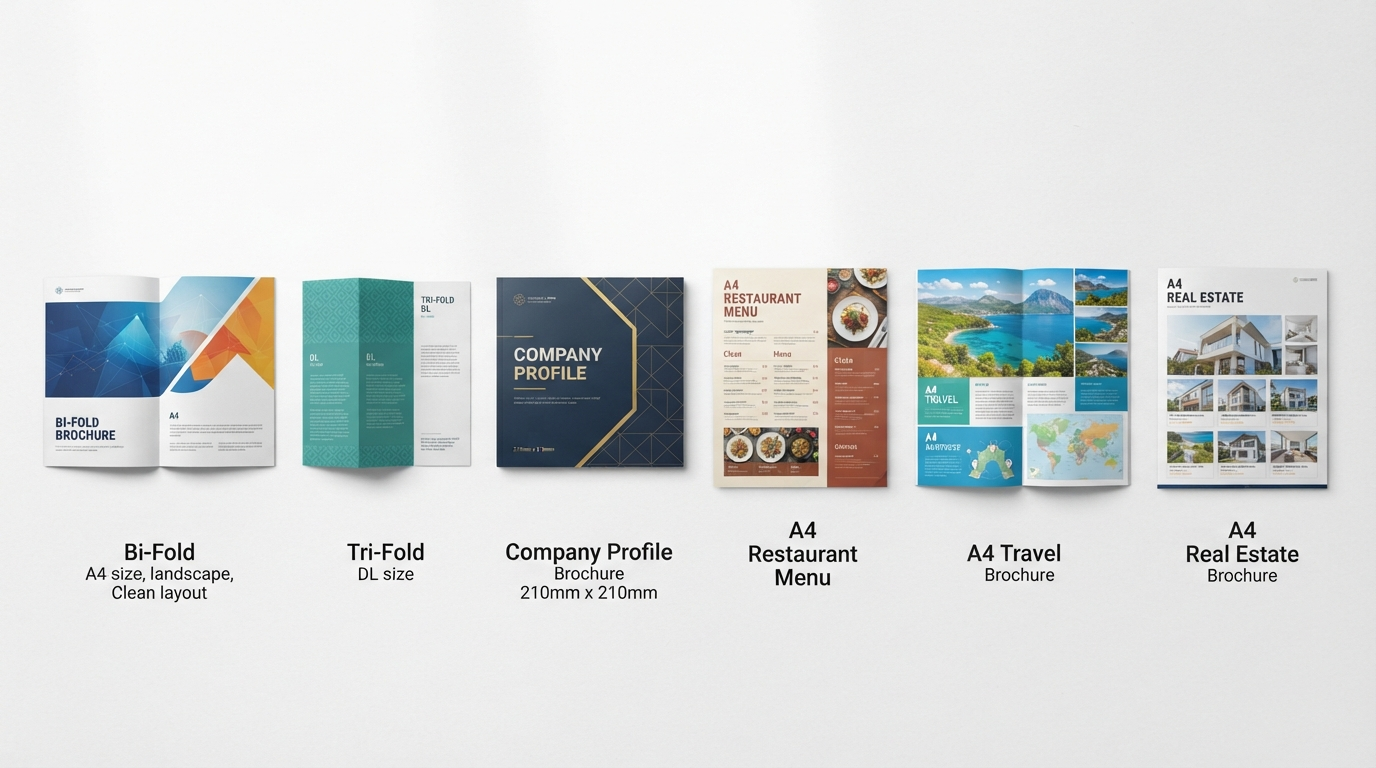
Canva brochure templates can be used for many purposes, such as business promotion, company profile pages, travel brochures, restaurant menus, product catalogues, healthcare services, schools, events, and more.
Most Canva templates can be used for both printing and creating digital brochures, which can be sent via email, instant messengers, or your website.
Another factor that makes Canva such a widely used platform is that one can get professional results without mastering complex design software. But the key here lies in choosing a template.
You May Also Like: Canva Pitch Deck Templates: The Complete 7 Slide Framework Behind Winning Startup Pitches
My 5-Step Approach to Choosing the Perfect Canva Brochure Template
Having created brochures for several projects, I came to understand that the choice of templates is even more important than the editing process. The approach presented below is the one that I have learned to use before opening any template.
Step 1: Always Start with Business Objectives, Not Design
Perhaps the most common mistake among novices when working with templates is browsing hundreds of examples before deciding exactly what the brochure is supposed to do.
Ask yourself one simple question before opening Canva.
What is this brochure going to be about?
This will change everything.
If you are a restaurant owner, you need to motivate customers to visit your restaurant or at least place orders. Big pictures of food and an organised menu section are more important than endless text.
For a consulting firm, the customers need to know about your expertise, services, and experience. Here, a professional company profile template is more effective compared to an eye-catching and colourful design.
Similarly, for a real estate firm, priorities will be very different, with property photos, maps, and other details becoming more important.
Once you have your priorities sorted out, selecting a template becomes very easy, as you can easily eliminate templates that do not fit your purpose.
Business Goals That Need Different Brochure Templates
| Business Goal | Recommended Template Style |
|---|---|
| Introduce a company | Company profile brochure |
| Promote products | Product brochure |
| Advertise services | Service brochure |
| Showcase properties | Real estate brochure |
| Share travel packages | Travel brochure |
| Present restaurant menus | Restaurant brochure |
| Promote school admissions | School brochure |
| Launch a new business | Startup brochure |
However, it is important to note that every business requires a different content focus.
Trying to make all businesses fit one scheme will inevitably lead to a very messy brochure.
Step 2: Determine the Correct Folding Scheme
Another thing I learned from printing several brochures is the following fact.
The folding scheme influences how potential customers perceive the content.
Initially, I ignored this aspect because I thought all brochures were folded the same way.
Unfortunately, this assumption was incorrect.
Different folding schemes imply different ways of content perception.
Bi-fold Brochure
A bi-fold brochure has four panels and is ideal for company profiles, service companies, restaurants, small companies, etc.
It gives readers the feeling of opening a little book, which is very convenient while browsing its content.
Tri-Fold Brochure
A tri-fold brochure consists of six panels and is a very common option for travel companies, healthcare institutions, restaurants, promotions, etc.
This type allows separating the content into logically arranged pieces.
Z Fold Brochure
When you need to guide your audience through the information, a Z-fold brochure is an excellent option.
For travel agents, event organisers, and educational tour leaders, a Z-fold brochure is ideal, as the information is easy to navigate from one panel to another.
One Page Brochure
In some cases, you do not need anything more than a single page to get your point across.
Whenever your focus is on one item only, be it a product, service, or an event, then it will be better to use a one-page brochure rather than a more complicated folded brochure because it allows your reader to grasp the whole concept immediately.
Based on my experience, simple brochures always work better. Most companies add unnecessary panels just because they can rather than because there is any relevant information to put inside.
Step 3: Pick the Right Template for Your Industry
One of the frequently asked questions by my clients is whether the same Canva brochure template can be used for any business.
Yes, technically speaking – it’s possible.
In reality, not always.
Each industry requires specific expectations from the customer.
For instance, a luxury property brochure should include large photos, beautiful fonts, and ample space. A healthcare brochure, in turn, is expected to be trustworthy, readable and organised.
Picking the right template for your industry will save you time on editing and help you achieve the expected result.
Here are some industry examples for you:
- Business/corporate: company profile, startup, executive, and professional brochure templates.
- Marketing/sales: product, service, promotional, catalogue, and brand brochure templates.
- Real estate: property, apartment, villa, rental and commercial property brochure templates.
- Travel/hospitality: travel, hotel, resort, tourism and vacation brochure templates.
- Healthcare: medical, hospital, clinic, dental, wellness and pharmacy brochure templates.
- Education: school, college, university, coaching centre, and workshop brochure templates.
- Food/hospitality: restaurant, café, bakery, catering and coffee shop brochure templates.
The main idea is to give you a head start in creating a design, not to stifle your creativity.
Step 4: Readability Before Decoration
One thing that I’ve learned over the years is to zoom out before zooming in.
It might sound simple, but this practice lets me assess the brochure’s readability before I get carried away with small design elements.
Many beginning designers spend most of their time selecting beautiful fonts, fancy icons, or cool backgrounds. These may make the brochure look attractive, but they definitely won’t make it any more effective.
Think of how people will read your brochure if they take it from the reception area of a clinic or inside a shop. Chances are, they will only spend about a minute looking at the information. And during this time, they have to comprehend what your business can offer.
This is why readability comes first.
Here are some practices that I follow every time I edit a Canva brochure template.
- Keep Headlines Readable
- Your headline must say precisely what it means.
- Avoid a complicated sentence and go with something straightforward.
Examples:
✓ Premium Home Renovations
✓ Coffee Deals on the Weekends
✓ Affordable Travel Packages
Such headlines will make information easier to locate.
Ensure There’s Room for Breath
My first mistake in designing a brochure was to fill every blank space.
There were way too many things in the brochure.
Eventually, I understood that vacant spots are not useless but necessary.
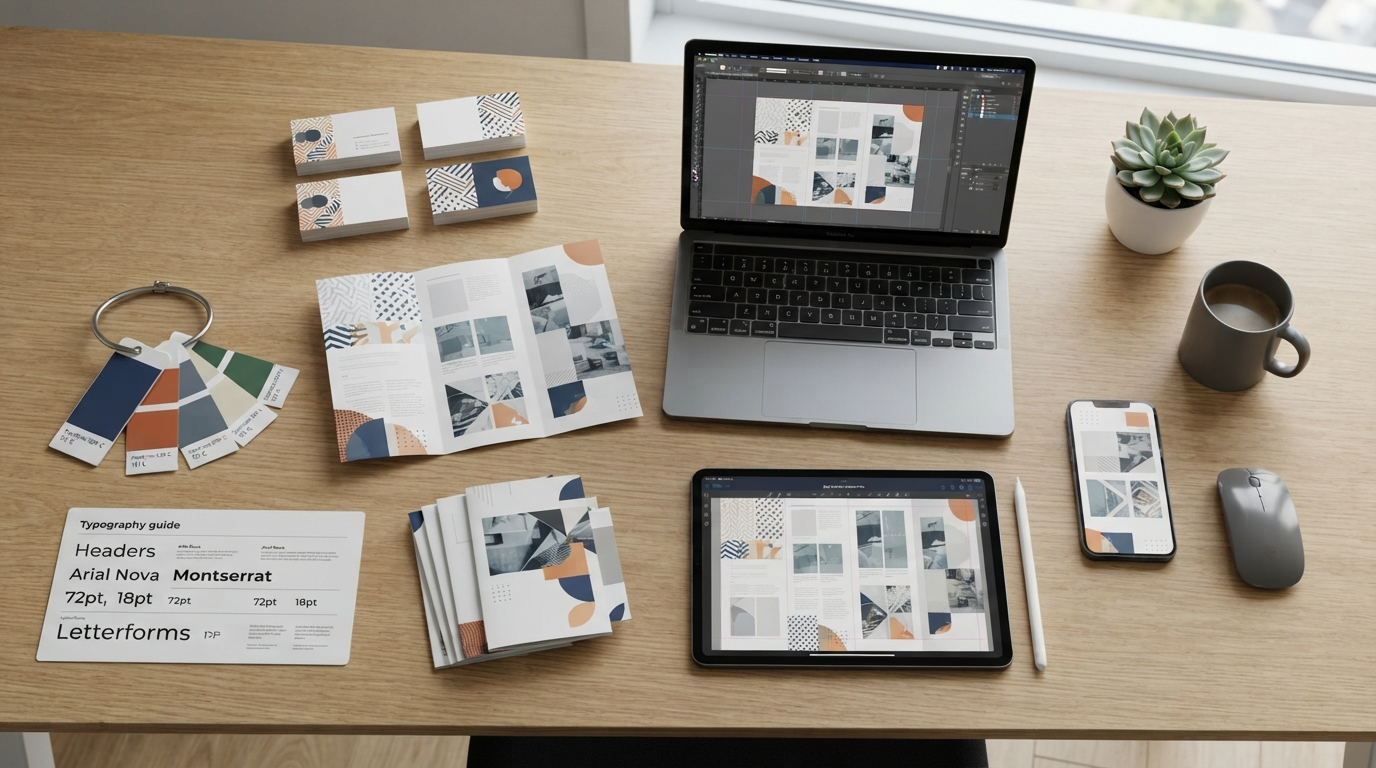
Stick to Two Fonts
Having multiple fonts is visual noise.
For most brochures, two fonts – one for the heading and one for the body text- are quite sufficient.
Make Sure Contact Information Stands Out
All your efforts to make your brochure visually appealing would go to waste if clients could not find your contact information.
Your brochure should have:
✓ Company Name
✓ Contact Number
✓ Email Address
✓ Website
✓ Physical Location
✓ QR Code (if applicable)
Step 5: Consider the Printed Piece Prior to Finishing the Design
The most costly mistake I have made is designing everything without consideration for the print piece.
- Colours might differ once the design is printed on paper.
- Images that may be perfectly sharp on the computer may not print well.
- Margins that may work great on Canva may cut off parts of your text.
- Whenever I complete a brochure, I never rush into downloading it.
- I simply go through this quick checklist.
- I review every page.
- I review each heading.
- I look for any spelling errors.
- I ensure that images are of high quality.
Then I export a PDF and review it on my computer and smartphone before printing.
This five-minute exercise has saved me from many embarrassing situations.
You May Also Like: Canva Business Card Templates: 13 Practical Design Essentials for Better Business Cards
Real Business Examples
These examples refer to real-life business scenarios where the choice of the correct template becomes more important than the prettiest one.
Example 1: Coffee Shop Promotion
A local coffee shop needed to promote seasonal drinks and breakfasts.
At first, the company chose a brochure with large graphics and lengthy paragraphs.
People never managed to read it till the end.
Once the shop switched to the simple Bi-Fold brochure template, we increased the picture size, added a brief description, prices, and even a QR code that leads straight to the menu.
This solution seemed less attractive but was easier for customers to use.
Conclusion: Food companies should use plenty of visuals and concise text.
Example 2: Startup Company Brochure
A new software startup required a brochure for networking events.
Their initial design used almost no text; instead, it contained many illustrations.
However, it turned out that people still did not know what the company does.
We changed the design by choosing a business card template.
In the new design, there were the following sections:
- Company overview
- Services
- Advantages for clients
- Contact info
- Our team
The brochure became much more reliable because the design aligned with people’s expectations.
Example 3: Restaurant Brochure
A family restaurant needed a brochure that people could take home.
It chose a restaurant brochure template instead of an unnecessary promotional brochure design.
- Beautiful photos of the dishes.
- Menu sections.
- Opening hours.
- Location.
- Discounts during the weekends.
Example 4: Real Estate Property Brochure
Photographs always come first when dealing with real estate buyers.
It was because of using a general business brochure template that every photograph appeared to be too small.
Using a dedicated property brochure template fixed the issue, allowing property images to take up enough space alongside floor plans, prices, locations, and contacts.
Sometimes, good layouts do more than any design tools do.
Canva Free vs Canva Pro for Brochure Templates
I often get questions about Canva Pro.
The thing is that everything depends on your work.
If you make one brochure per month, then the free service will provide you with a lot of high-quality templates which can be used for creating school brochures, local businesses’ brochures, personal brochures and events’ brochures.
In case you design brochures for customers or for yourself, the use of Canva Pro will allow you to save a lot of time due to premium templates, Brand Kit, Magic Resize and a bigger image bank.
From my experience, the quality of the brochure mostly depends on its content and layout rather than on the price of a template.
Common Beginner Errors to Avoid
Even with professional templates, minor errors will affect the performance of your brochure.
Here are those errors.
- Choosing Looks Over Function
- The prettiest template doesn’t always do the job.
- Select a template that helps you deliver your message.
- Writing Too Much
- Few people are willing to read large paragraphs in brochures.
- Keep your paragraphs small and give them meaningful headings.
- Adding Poor Quality Images
- Low-quality images will immediately lower trust levels.
- Only add clear and high-resolution pictures.
- Not Matching Your Brand Identity
All your brochures should use the same colour schemes, fonts, and logos as the other brand elements, such as websites and social media profiles.
This will improve brand recognition.
Not Including a Call to Action
There is one essential question any brochure should answer.
What should people do after reading this?
Call us.
Visit our website.
Make an appointment.
Scan the QR code.
If there is no action to take, the brochure is worthless from a marketing perspective.
Checklist for Exporting Your Canva Brochure
Before downloading your brochure, run through this short checklist.
✔ The chosen template is appropriate for your goal.
✔ The headlines are clear.
✔ The images are high-quality.
✔ The contact information is complete.
✔ Your brand colours stay consistent.
✔ There are no spelling errors in the text.
✔ Essential information is placed first.
✔ The PDF looks good on desktops and mobiles.
✔ It remains legible after printing.
The time you invest in this checklist can make a difference in the final outcome more than repeatedly changing the layout.
FAQs About Canva Brochure Templates
Are Canva brochure templates free to use?
Yes. You can find many free brochure templates on Canva. However, premium templates and additional design tools are only available in Canva Pro.
What is the best template for a small business?
Again, this depends on your goal. If your aim is to present your company, use company profile templates. Otherwise, use brochures with specific products or services.
What is the difference between a Bi-Fold and a Tri-Fold Brochure?
A bi-fold brochure has 4 panels and suits structured content well. A tri-fold brochure has 6 panels and is ideal for promotions, travel guides, restaurant menus, and service-oriented businesses.
Can I print Canva brochures professionally?
Yes. You can export your design as a print-ready PDF and print it professionally with any printing service or print it yourself.
Which brochure will best suit my restaurant?
Restaurant brochures with large food photos, short descriptions, price lists, and contact information work best.
Is it possible to customise all Canva brochures?
Yes. The colours, fonts, images, layout, icons, and text can be customised to fit your branding strategy.
Which brochure should I pick – free or premium?
It depends on your needs. Well-organised free templates usually work better than a premium one with too many unnecessary graphic elements.
Conclusion
While creating brochures for different types of companies, I learned one thing for sure.
Brochures are not remembered because they have the most graphics or bright pictures.
Brochures that answer customers’ questions and show the next step are remembered.
When creating a brochure for a company profile, a restaurant, a product, a trip package, or a local service, the first step is to think about your target audience before starting in Canva.
The template is just a tool.
What really matters is how clearly you express your message.
By focusing on your business goals, choosing the right fold, selecting an industry-specific template, maintaining a clear layout, and proofreading before printing, you can create brochures that look professional and convey your business information.
Important Note: It must be noted that there isn’t a one-size-fits-all approach when it comes to choosing Canva brochure templates for your business. The most appropriate one should be selected depending on your particular industry, marketing objectives, target audience and content you are going to share with it. This guide is based on my personal experience selecting, customising, and modifying brochure templates. Do not hesitate to use these ideas as a starting point; however, make sure the brochure template aligns with your business brand. You can always find the latest information on design trends and Canva tools in their official resources. All the external sources used in this article are purely educational. Swisspik is an educational site and has nothing to do with Canva or other brands.